
Quilt Pattern Maker
Quilt Pattern Studio 48 classic blocks, 3-mill solids, Value Check & 1" PDF Quilt Coloring Pages 20+ classic layouts to audition solid colorways Photo to Pixel Quilt Convert photos up to 60×60 with piece-count check
Best Quilt Design Software (2026) 12 tools compared with checked prices & honest trade-offs Free Quilt Design Software 8 no-install browser tools: real free limits & paywalls Quilt Pattern Maker vs EQ8 Mac, iPad & Chromebook browser alternative to $239.95 EQ8 Quilt Pattern Maker vs PreQuilt Free exports & $79 lifetime option vs yearly subscription

Studio & Tools

Quilt Pattern Studio Quilt Coloring Pages Photo to Pixel Quilt

Free Calculators

Quilt Backing Calculator Quilt Size Chart Quilt Binding Calculator All-in-One Quilt Calculator Quilt Fabric & Yardage Border & Sashing Calculator HST Chart & Calculator Quilt Block Calculator Quilt Batting Calculator Flying Geese Calculator

Guides & Compare

Best Quilt Design Software (2026) Free Quilt Design Software Quilt Pattern Maker vs EQ8 Quilt Pattern Maker vs PreQuilt

Quilt Pattern Maker

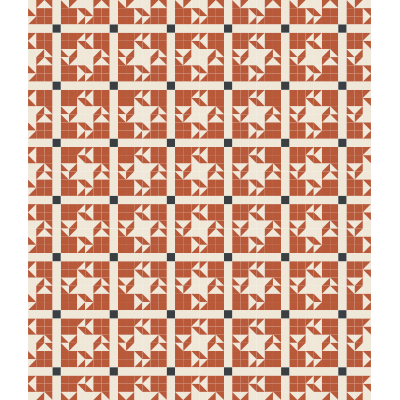
Sawtooth Star · 60" × 72"

What is Quilt Pattern Maker?

Quilt Pattern Maker is a free online quilt pattern maker without installing software. It combines your design layout + automatic yardage + WOF cutting strips in one browser tab, starting with a 60" × 72" 4-fabric Sawtooth Star. Choose from 48 traditional blocks, straight, checkerboard, or on-point settings, and solid references for Robert Kaufman Kona Cotton, Moda Bella Solids, and Art Gallery Fabrics Pure Solids. The studio recalculates yardage as you recolor, runs a black-and-white Value Check, and exports a construction-pack PDF with a 1" × 1" calibration square. The free tier needs no account.

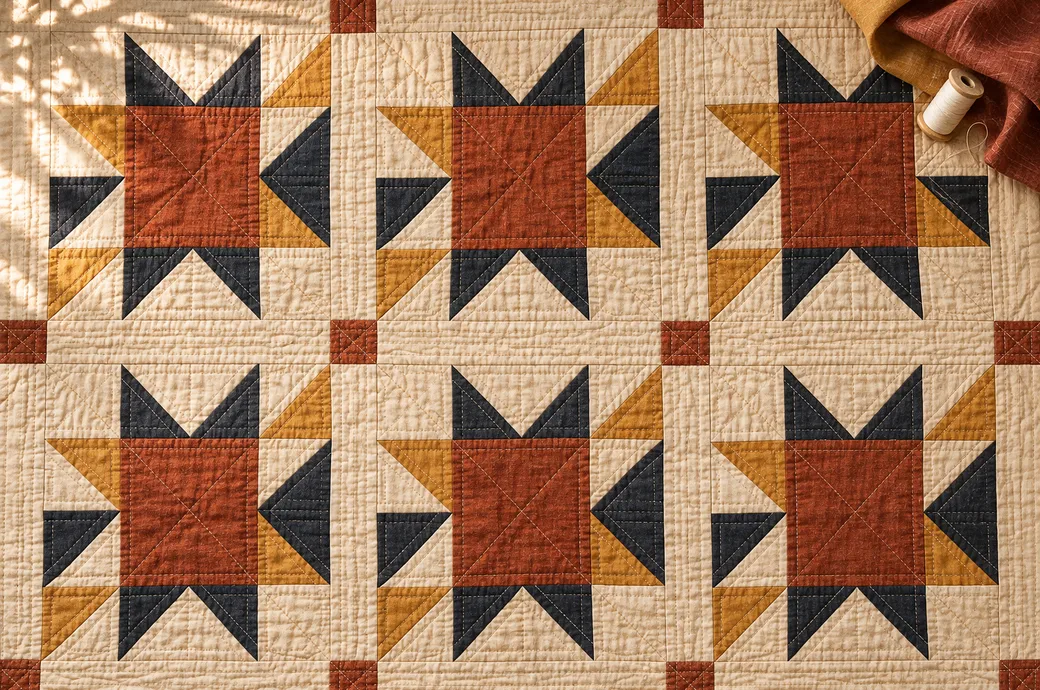
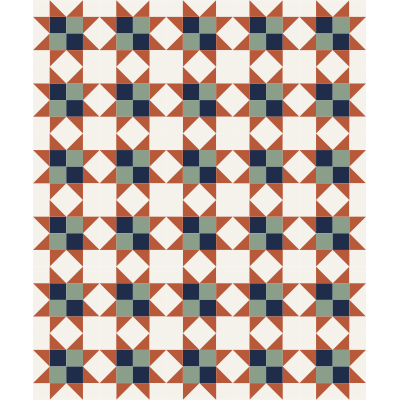
The default quilt: 60" × 72" four-fabric Sawtooth Star

30 twelve-inch blocks in a 5 × 6 grid, with 42" usable width of fabric (WOF) and 1/4" seams. The cutting plan uses individual patch blanks with seam allowances and rounds each fabric purchase up to the next eighth of a yard.

Sawtooth-style patchwork in cream, rust, indigo and ochre
Quilt-top strips and yardage at 42″ WOF
FabricSKUPiecesCuts by strip widthWOF stripsYards to buy
1 · SnowK001-1339240
  • 10 × 3 1/2" · 120 patch blanks, 3 1/2" across fabric
  • 24 × 3 5/8" · 120 patch blanks, 7 1/4" across fabric
343 1/2 yd
2 · TerracottaK001-482240
  • 24 × 3 7/8" · 240 patch blanks, 3 7/8" across fabric
242 5/8 yd
3 · NavyK001-124360
  • 5 × 3 1/2" · 60 patch blanks, 3 1/2" across fabric
51/2 yd
4 · SageK001-132160
  • 5 × 3 1/2" · 60 patch blanks, 3 1/2" across fabric
51/2 yd
Quilt top600—687 1/8 yd
Backing, binding, and batting
ComponentAmountCutting details
42″ backing3 7/8 yd2 horizontal panels
108″ wide backing2 yd1 panel(s)
Binding1/2 yd7 strips at 2 1/2"
Batting1 piece68" × 80"
Fabric total9 5/8 ydTop, binding, and recommended wideback backing

Start with a classic quilt

Design, measure, and cut in four steps

10 free quilt calculators

Quilt Backing Calculator

Calculate quilt backing yardage for 42-inch cotton or 108-inch wideback. See panel count, seam direction, and a worked 60" × 72" throw example.

Quilt Size Chart

Standard quilt sizes for crib, twin, full, queen, and king beds, plus a drop formula and a printable chart. Measure once and cut the right size.

Quilt Binding Calculator

Calculate binding yardage, 2.5-inch strip count, and 45-degree bias requirements. Includes a queen 90" × 108" straight-grain vs bias table.

Quilt Calculator

One quilt calculator hub for top yardage, backing, binding, borders, batting, and block counts. Start with a 60" × 72" example and move through each step.

Quilt Fabric Calculator

Calculate quilt fabric yardage by color, WOF strip count, backing, and binding. Includes a full four-fabric 60" × 72" Sawtooth Star cut list.

Quilt Border and Sashing Calculator

Calculate border strip lengths, mitered borders, sashing runs, and cornerstones. Includes a 5 × 6 block example with 2-inch sashing and nested borders.

Half-Square Triangle Calculator

Calculate half-square triangle cut sizes for 2, 4, and 8-at-a-time methods. Includes a printable chart and a 120-HST yardage example.

Quilt Block Calculator

Work backward from a finished quilt size to the number of blocks, columns, and rows. Includes 60" × 72" and 90" × 108" examples with borders and sashing.

Quilt Batting Calculator

Calculate the batting size for any quilt and match it to crib, throw, twin, queen, or king packages. Includes roll batting yardage and overage rules.

Flying Geese Calculator

Calculate flying geese cut sizes for the 4-at-a-time no-waste method. Includes a 3" × 6" chart and yardage for 120 geese.

Free vs Pro

What each plan includes
FeatureFreePro
Standard studio48 blocks, 3 standard layouts, 4 colorways, Value Check, and Directional Print LockIncluded
Calculators & standard exports10 calculators, 1″ calibrated PDF, SVG, PNG, and cutting checklistIncluded
Projects3 browser slots200 account slots
Fabric photos3 on-screen previews per daySave and export photo layouts
Multi-Block StudioIndividual block previewsBatch swaps, linked borders and sashing, saving and export

$6.99/month (auto-renew) · $39/year (auto-renew, recommended, about $3.25/month) · $79 (one-time payment, never renews). Tax included. 14-day refund.

Frequently asked questions

I tried EQ8 and forgot everything between projects. Is there an easier way to lay out a quilt?

Start with a quilt size and a block in your browser. Change colors or the layout and the yardage panel updates as you work. EQ8 offers more tools for drafting custom blocks and foundation piecing.

Source: r/quilting comment, checked 2026-11-28

Why do so many "free" quilt apps ask for money after the download?

The ten calculators, 48 traditional blocks, and standard calibrated PDF are free without an account. The Free vs Pro table lists the optional paid features.

Source: Quilt Geek review, checked 2026-11-28

Can I use an iPad in landscape at the sewing table?

Yes. In landscape, the studio uses two columns, with the quilt canvas on the left and the three-step guide on the right. The checklist uses touch-sized checkboxes.

Source: QuiltingCalc review, checked 2026-11-28

Why does an imported fabric photo look zoomed in?

Measure the width of fabric visible in the photo and enter that width in the studio. The 100% setting preserves that measurement and the aspect ratio. Free users can try three photo previews a day.

Source: Quilt Wizard review, checked 2026-11-28

How do I keep a photo quilt from turning into thousands of pieces?

Set the cell size before you fall in love with the preview. A 60" × 72" quilt at 2-inch cells is 1,080 pieces; at 4-inch cells it is 270. The photo tool caps the grid at 60 × 60 and warns above 1,500 pieces, so the cut count is a decision rather than a surprise.

Source: photoQuilt review, checked 2026-11-28

Can I save a design and open it on my phone at the fabric store?

The free studio keeps three projects in this browser. A paid account can keep up to 200 projects that you can open on another device. Cutting checkmarks are kept in the browser you use at the cutting table.

Source: TideStitch review, checked 2026-11-28

Do I need EQ8 to design a whole quilt?

The free studio handles standard straight, checkerboard, and on-point layouts with automatic yardage calculations. EQ8 has more options for custom drafting and foundation paper piecing.

Source: r/quilting comment, checked 2026-11-28

Can I sell quilts or patterns made with this tool?

Yes. Commercial use is free for every user, including the free tier. You own the designs and photos you create; the site does not claim a royalty. Export the 2D SVG or PNG and use it in a pattern you sell.

Source: r/quilting post, checked 2026-11-28